Unlock the world of trading with Freedx, where you can navigate through various spot markets and execute your trading strategies.
Here’s a step-by-step guide on how to trade on Freedx Spot Markets.
On the website:
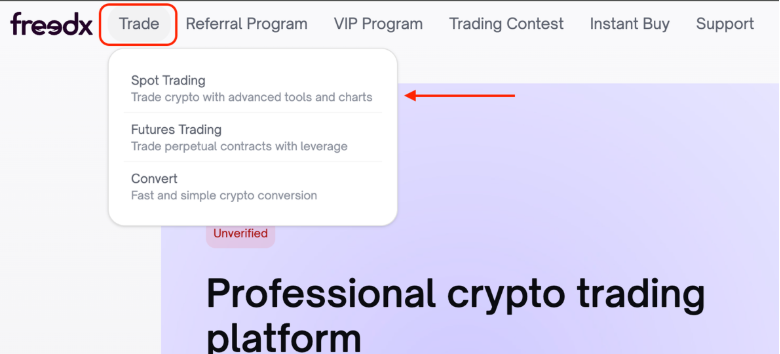
1. Hover your mouse on Trade.
- Click on Spot Trading.
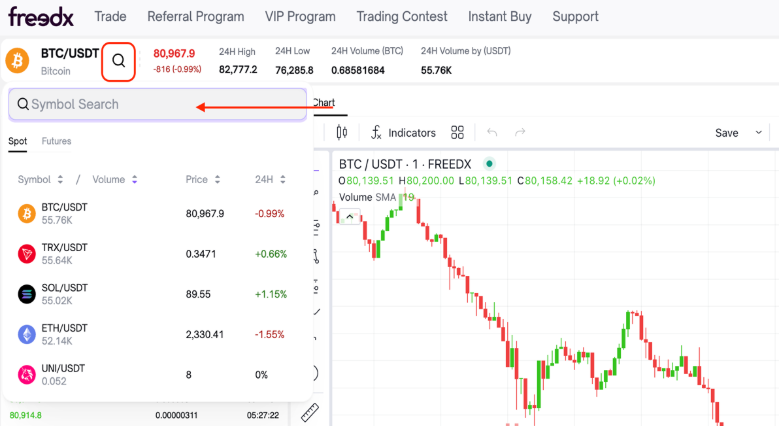
2. Select the currency you would like to trade in.
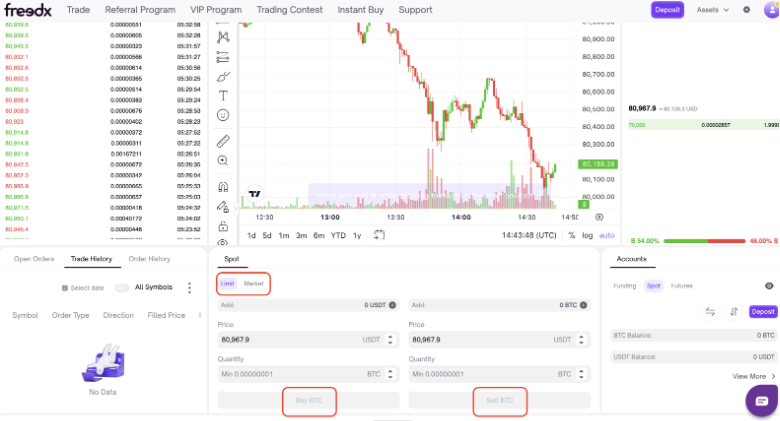
3. Select the type of order you would like to use (Limit or Market)
- Determine the order price and size
- Click on Buy or Sell to submit your order
On the mobile app:
1. In main screen, tap on Trade
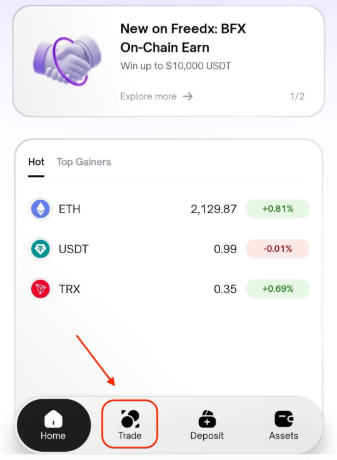
2. Choose Spot
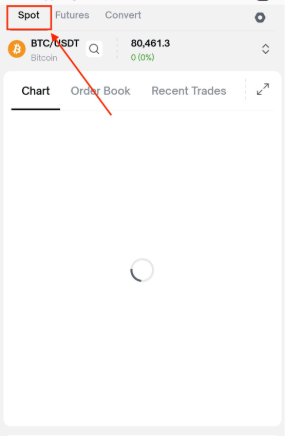
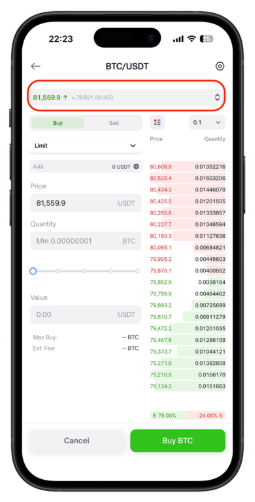
3. Select the currency you want to trade
4. Select Buy or Sell 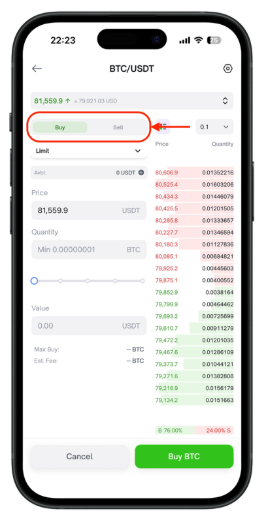
5. Select the type of order you want to use (Limit or Market) 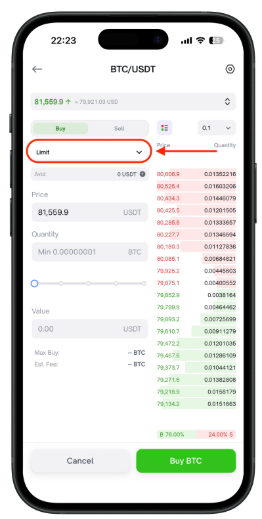
6. Enter the order price and size 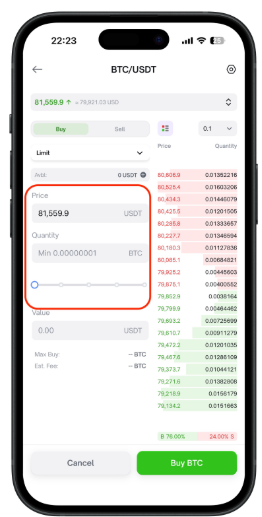
7. Tap on Buy or Sell to submit your order 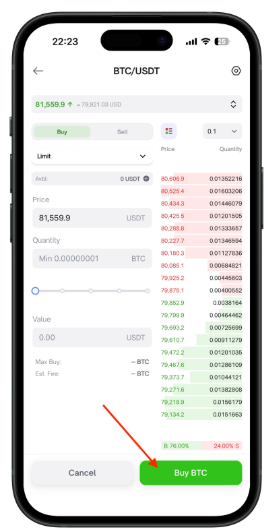
Was this article helpful?
That’s Great!
Thank you for your feedback
Sorry! We couldn't be helpful
Thank you for your feedback
Feedback sent
We appreciate your effort and will try to fix the article