Depositing funds into your Freedx account is easy and fast. Follow the steps below to view the deposit guidance via the web and app
A. How to make a crypto deposit via the Web.
Step 1: Start deposit
- Visit the Freedx website
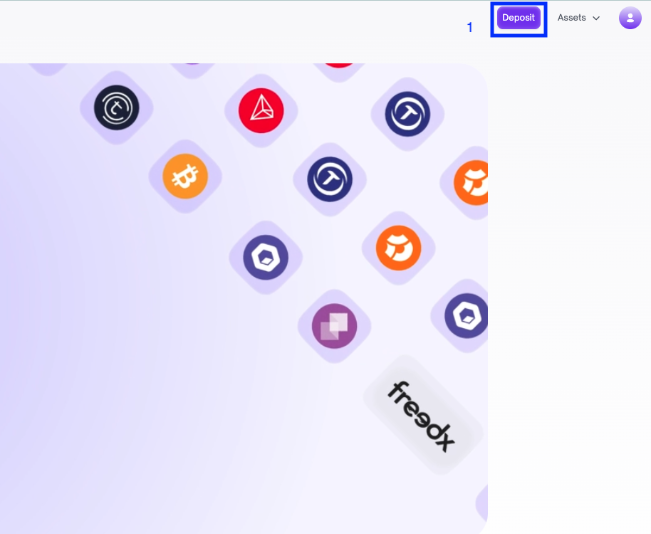
- Login to your Freedx account and click on Deposit at the top right corner of the homepage.
Step 2: Setup your deposit
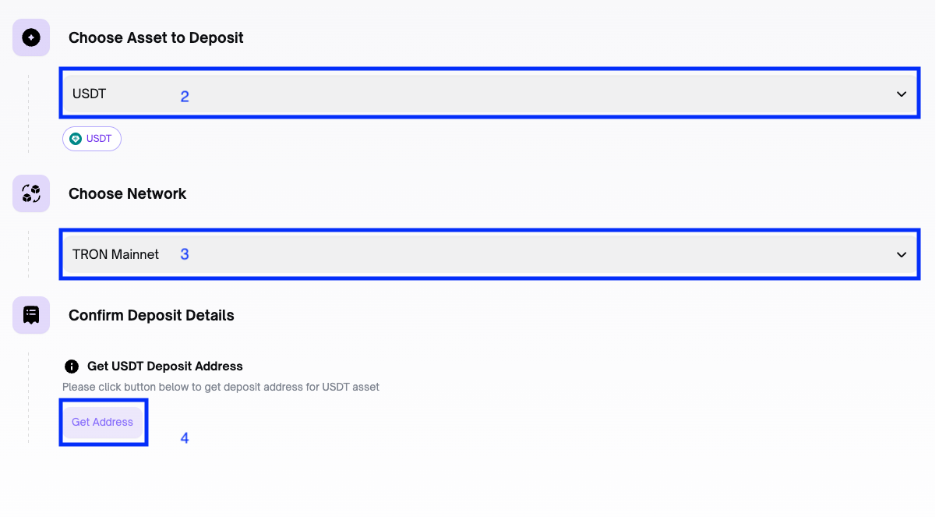
- Choose Asset to deposit
- Select the Network
- Click Get Address to generate the QR code and deposit address.
Step 3: Confirm Your Deposit
- Use your external wallet to send the desired amount to the Freedx wallet address.
- Always double check the address before making the deposit. Funds sent to the wrong address cannot be retrieved.
- Crypto deposits require confirmation on the blockchain (the number of confirmations varies by cryptocurrency and blockchain).
Step 4: Check Your Freedx Wallet
- Once the funds are deposited, they will appear in your Freedx wallet.
- If there are delays, contact Freedx Support for assistance.
B. How to make a crypto deposit via the app.
Step 1: Start deposit
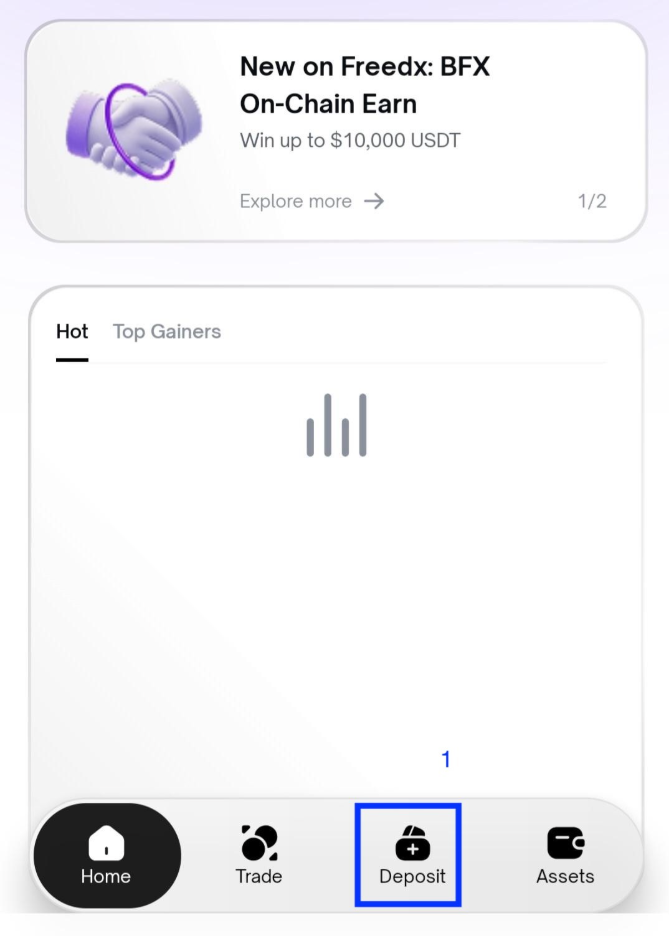
- Run the app and login to your account.
- Click Deposit button at the bottom of the homepage.
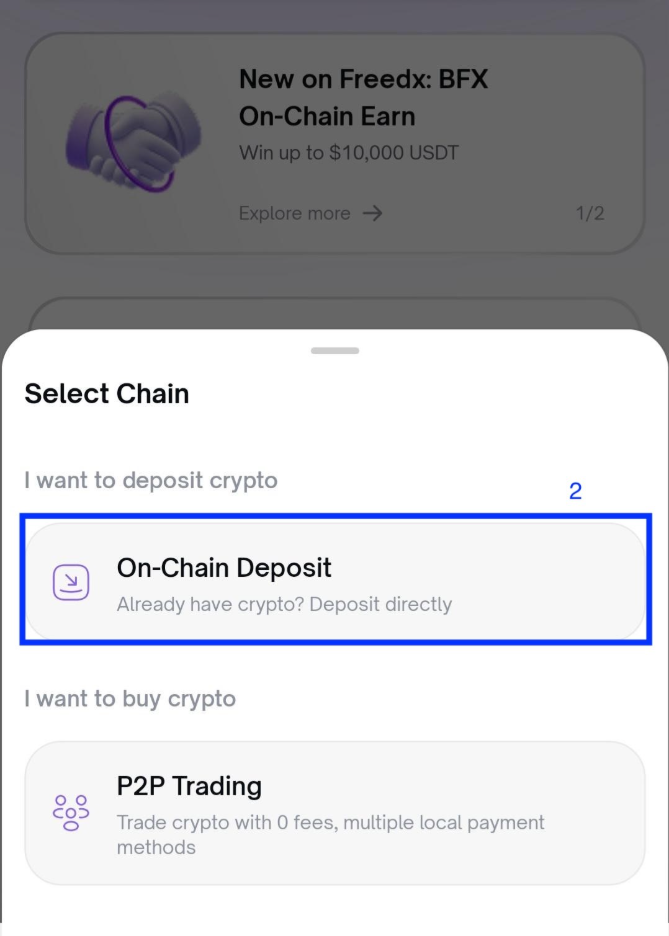
Step 2: Select Chain
- Choose On-Chain Deposit
Step 3: Select the coin
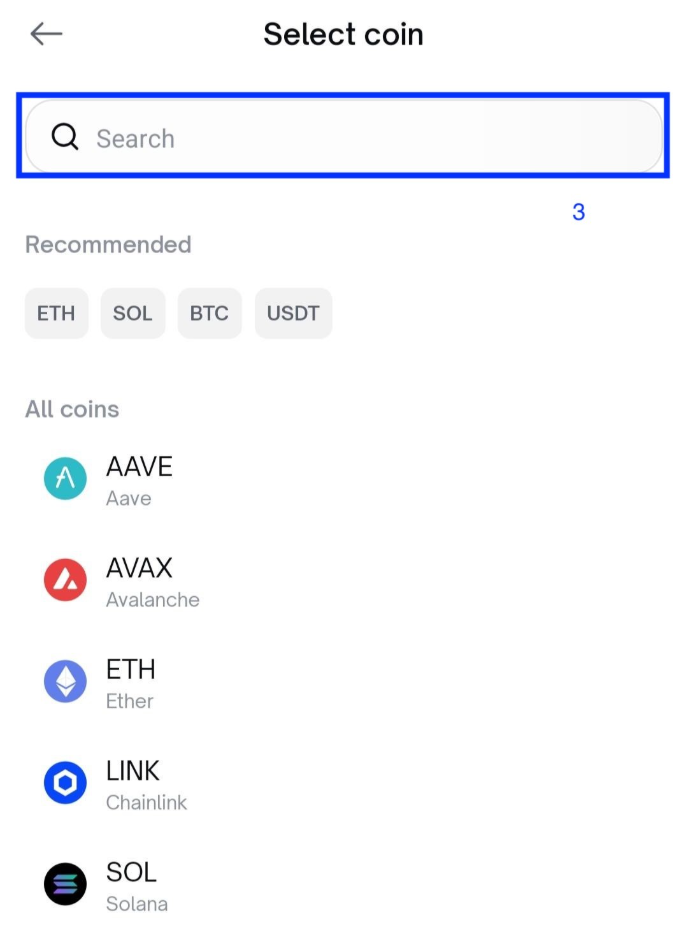
Step 4: Choose Network
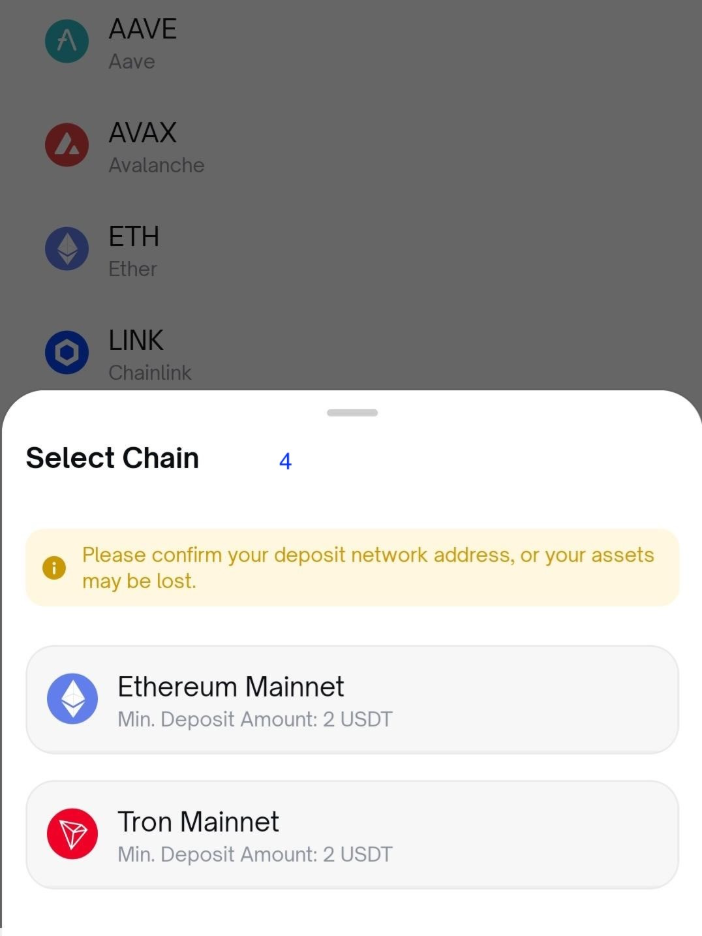
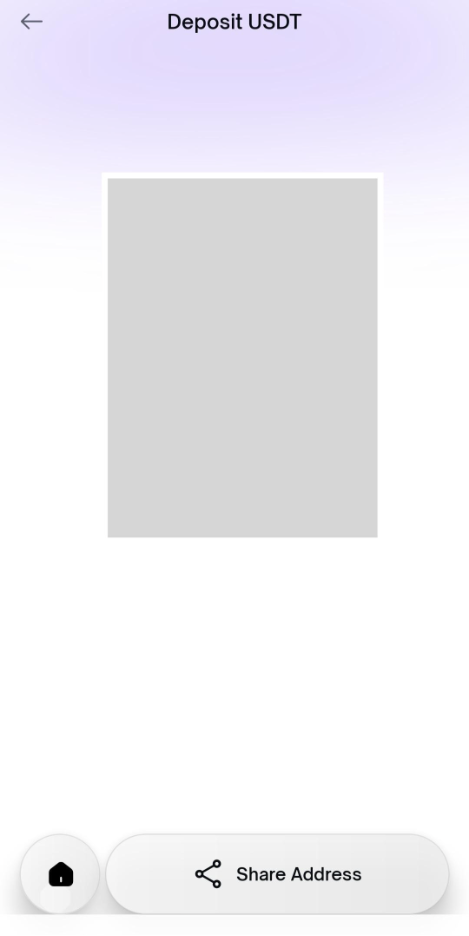
Step 5: Get the Address
- On the screen, you can copy address or use the QR code.
- You can share the address to your friend by clicking on Share Address.
Step 6: Confirm Your Deposit
- Use your external wallet to send the desired amount to the Freedx wallet address.
- Always double check the address before making the deposit. Funds sent to the wrong address cannot be retrieved.
- Crypto deposits require confirmation on the blockchain (the number of confirmations varies by cryptocurrency and blockchain).
Step 7: Check Your Freedx Wallet
- Once the funds are deposited, they will appear in your Freedx wallet.
- If there are delays, contact Freedx Support for assistance.
FAQ’s
Why is a Memo or Tag required for certain deposits?
For certain cryptocurrencies such as XRP, XLM, or EOS, a Memo or Destination Tag is mandatory because these networks use a single main address for all exchange users. The Memo is a unique identifier that allows our system to recognize that a specific transfer belongs to your individual account. If you fail to include the correct Memo or Tag during the transaction, your funds may not be credited automatically and could be difficult or impossible to recover.
What happens if I send a deposit to the wrong address or network?
Cryptocurrency transactions are irreversible by design. If you send funds to an incorrect address or select an unsupported blockchain network (for example, sending BTC to an ETH address), the assets will likely be permanently lost. Before confirming any transfer, always double-check that the asset, the deposit address, and the selected network match exactly on both the sending and receiving ends. If you realize a mistake was made, please contact our support team immediately, though recovery is rarely guaranteed.
Are there any fees for depositing cryptocurrency?
Our platform does not charge any fees for receiving cryptocurrency deposits. However, please be aware that when you send funds from an external wallet or another exchange, you will be required to pay a "network fee" or "gas fee" to the blockchain miners to process your transaction. Additionally, some external platforms may charge their own withdrawal fees. We recommend checking the minimum deposit amount for each asset, as transfers below the limit may not be processed.
How long does it take for my deposit to be credited?
The time it takes for a deposit to appear in your balance depends on the number of network confirmations required by the blockchain. Once you initiate a transfer, it must be verified by miners or validators on the network. Depending on network congestion and the specific blockchain used, this can take anywhere from a few minutes to an hour. You can monitor the progress of your transaction by pasting your Transaction ID (TXID) into a relevant blockchain explorer.
Was this article helpful?
That’s Great!
Thank you for your feedback
Sorry! We couldn't be helpful
Thank you for your feedback
Feedback sent
We appreciate your effort and will try to fix the article