You can withdraw funds from your Freedx account quickly and without hassle. Here's how to withdraw your funds using Web platform and mobile App. To use this feature, please ensure your KYC verification is completed.
How to withdraw via the Web
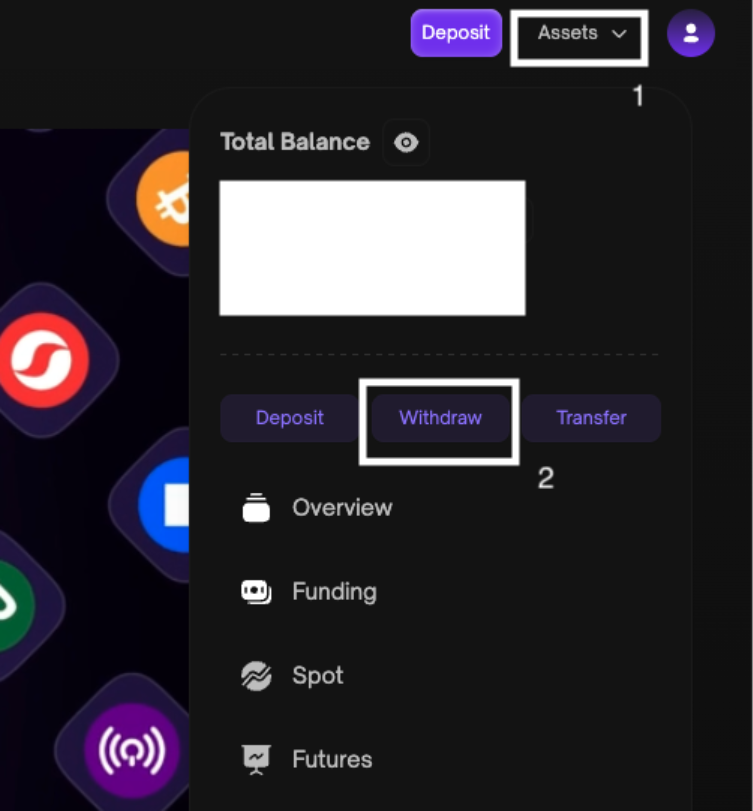
Step 1: Click Withdraw
- Login to your account.
- Cick “Assets” on the right upper part of the page and choose “Withdraw"
Step 2: Setup your withdrawal
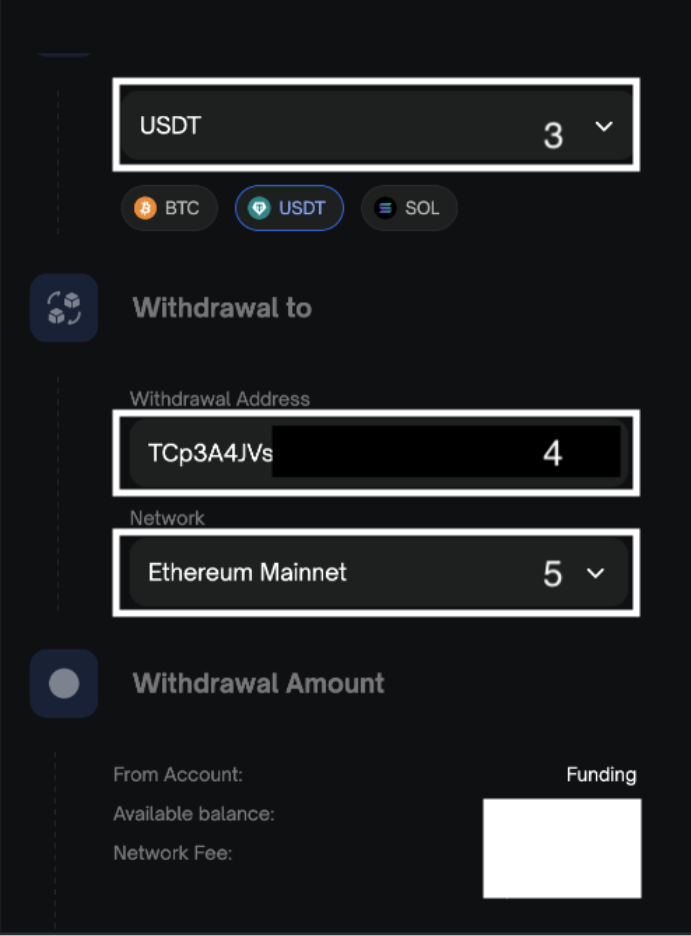
- Select the coin you want to withdraw
- Enter the correct address that you want to withdraw to.
- Select Network.
- Enter the amount you want to withdraw and check the network fee.
- Click “Withdraw”.
Please note that the network and address must be the same with the network and address of the receiver.
Step 3: Confirm your withdrawal
- Check your registered email inbox for the OTP code to confirm your withdrawal and indicate in the appropriate field together with your 2FA then click “Confirm”.
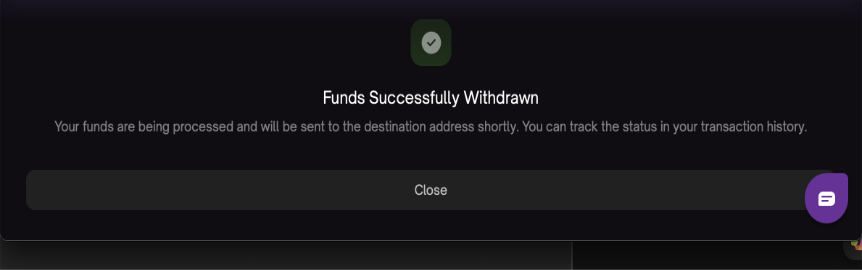
- Your withdrawal transaction will be processed, and a confirmation message will be posted on the screen once completed.
How to withdraw via the App
Step 1: Choose Withdraw
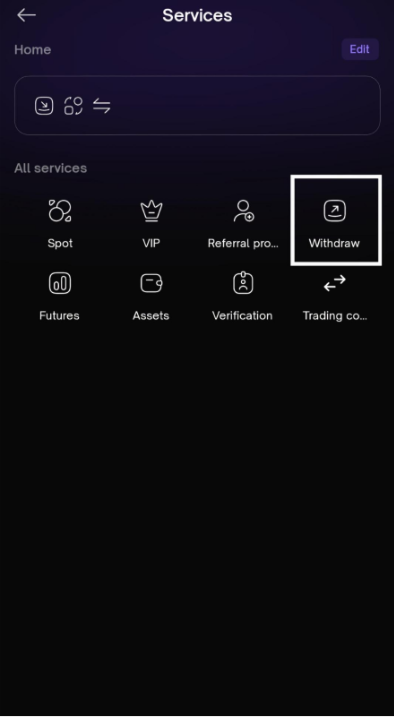
- If you are already in the “Home” page then please tap “More”
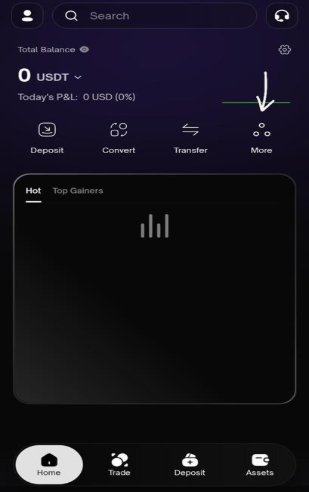
- Then please tap “Withdraw”
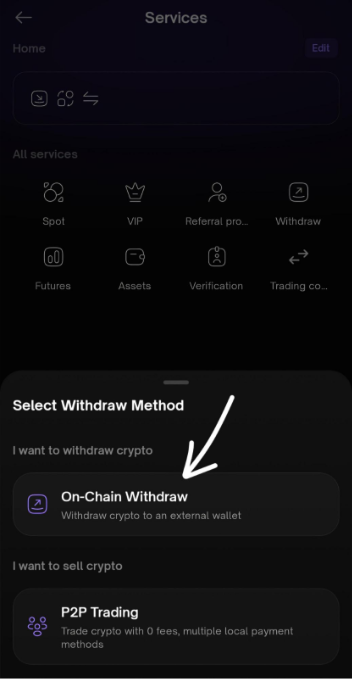
- After that, please tap “On-Chain Withdraw”
Step 2: Setup your withdrawal
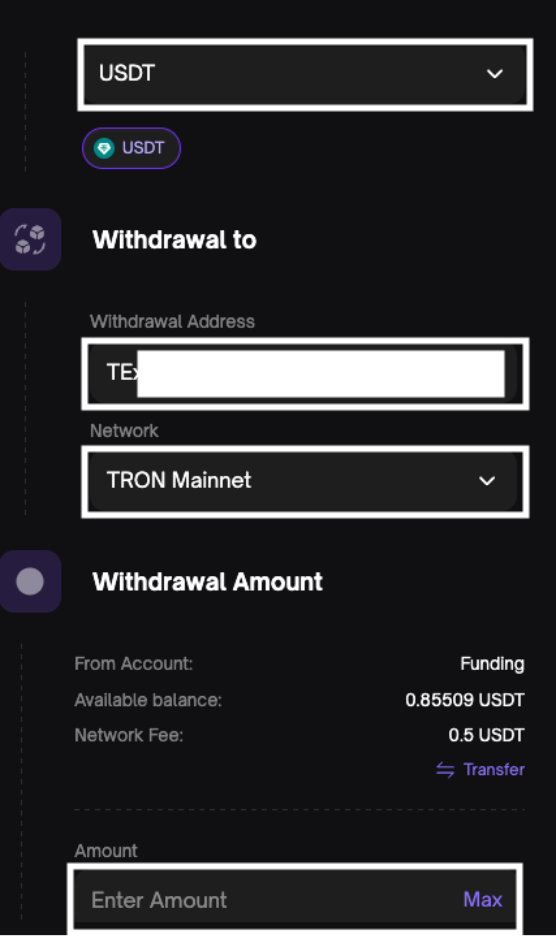
- Select the coin you want to withdraw
- Enter the correct address that you want to withdraw to.
- Select Network.
- Enter the amount you want to withdraw and check the network fee.
- Click “Withdraw”.
Please note that the network and address must be the same with the network and address of the receiver.
Step 3: Confirm your withdrawal
- Check your registered email inbox for the OTP code to confirm your withdrawal and indicate in the appropriate field together with your 2FA then click “Confirm”.
- Your withdrawal transaction will be processed, and a confirmation message will be posted on the screen once completed.
Note:
Withdrawal fees are dynamic and may change depending on network conditions. The actual withdrawal fee will always be shown on the Withdrawal Confirmation page before you finalize the transaction.
Each cryptocurrency has its own blockchain as well as wallet address. Selecting the incorrect currency or blockchain may result in the permanent loss of your assets. Before making a withdrawal transaction, please take extra precaution to ensure all of the information entered is correct.
The confirmation link in the email is only valid for 1 hour.
Was this article helpful?
That’s Great!
Thank you for your feedback
Sorry! We couldn't be helpful
Thank you for your feedback
Feedback sent
We appreciate your effort and will try to fix the article