This guide will walk you through the registration process for a new Freedx account on the website, and the mobile app.
A. Website
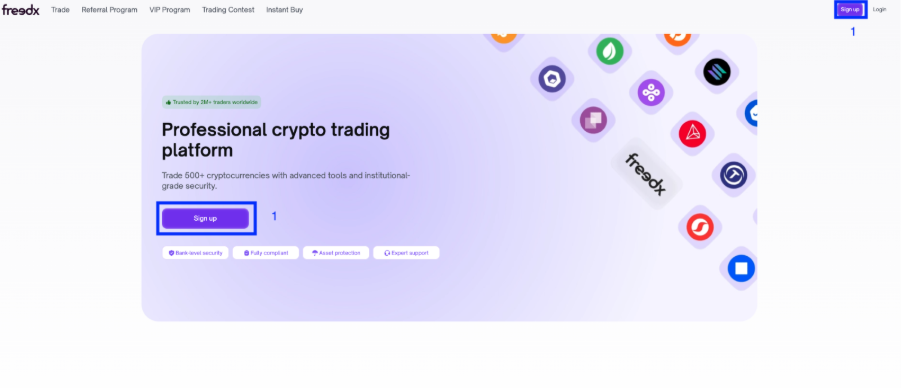
1. Access the Registration form
- From the Freedx homepage, locate and click the Registration button. This action will take you directly to the registration form.
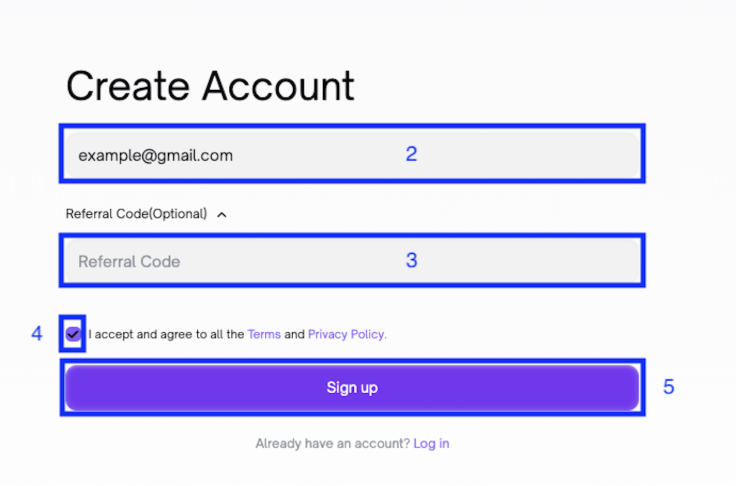
2. Enter your information
- Enter your email.
- If you want to register an account through referral code of another person, click on Referral (Optional) to enter it.
- Check the Terms and Privacy Policy.
- Click on the box “I accept and agree to all the Terms and Privacy Policy"
- Click Sign Up.
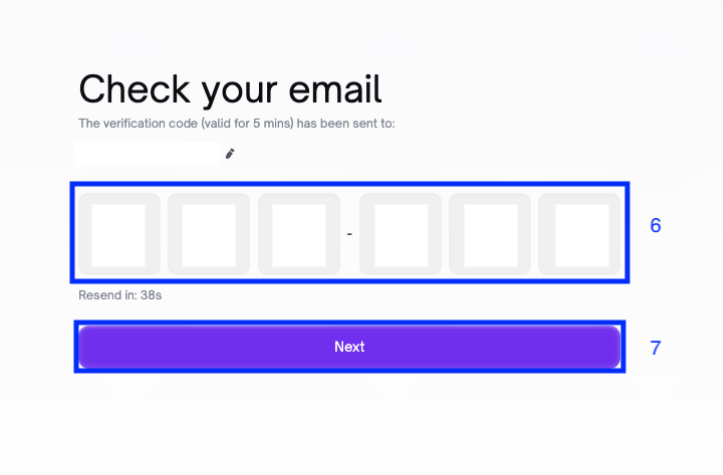
3. Get the verification code
- Check your email to get the 6-digit verification code.
- Enter the code to the box before it expires (within 5 minutes).
- Click Next.
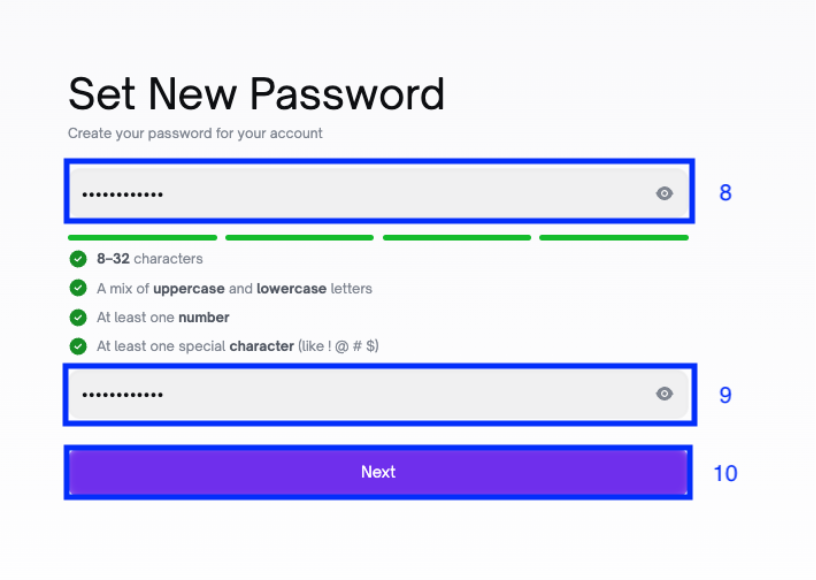
4. Create password
- Create new password for your account that meets all 4 requirements on the screen.
- Enter correct password you just have created.
- Click Next.
- You have created your Freedx account successfully.
B. Mobile App
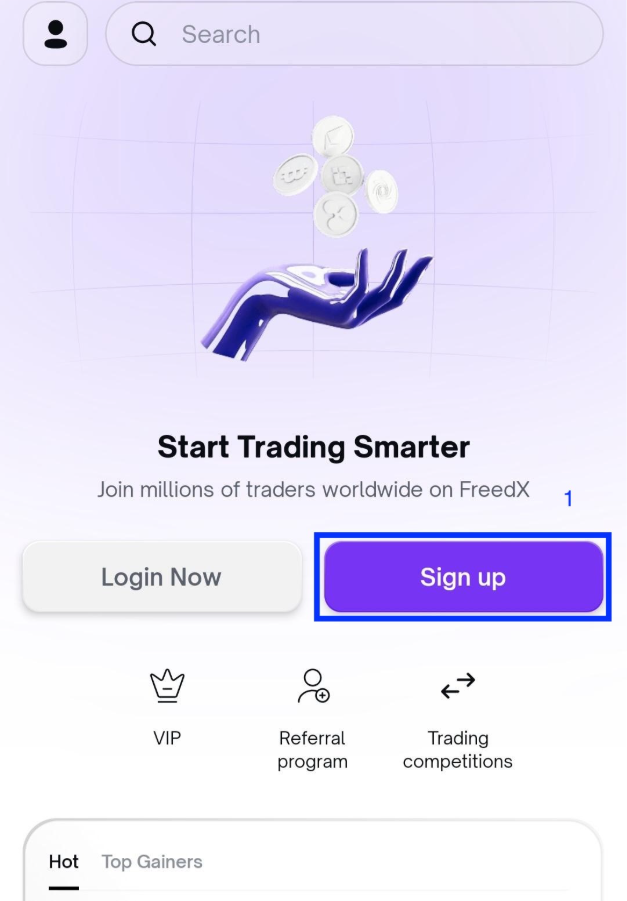
1. Access the Registration Form
- Run the app and from the homepage, locate and click the Sign Up button. This action will take you directly to the registration form.
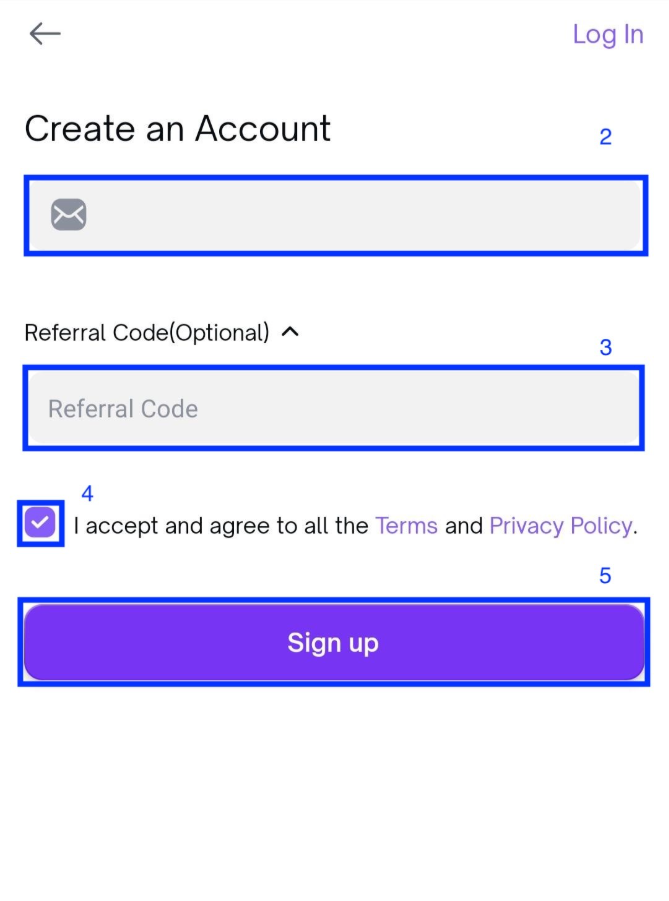
2. Enter your information
- Enter your email.
- If you want to register an account through referral code of another person, click on Referral (Optional) to enter it.
- Check the Terms and Privacy Policy.
- Click on the box “I accept and agree to all the Terms and Provacy Policy"
- Click Sign Up.
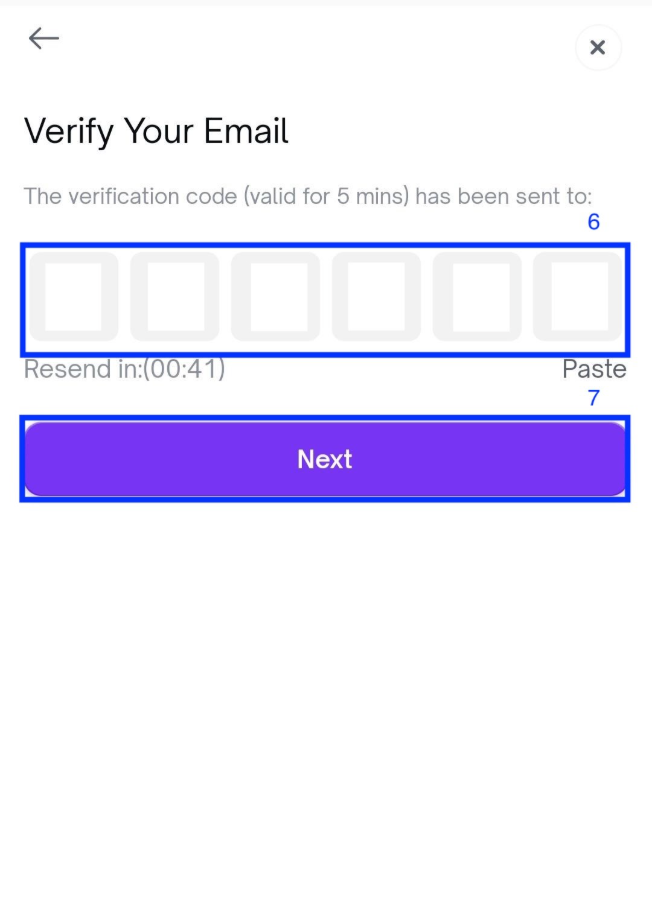
3. Get the verification code
- Check your email to get the 6-digit verification code.
- Enter the code to the box before it expires (within 5 minutes).
- Click Next.
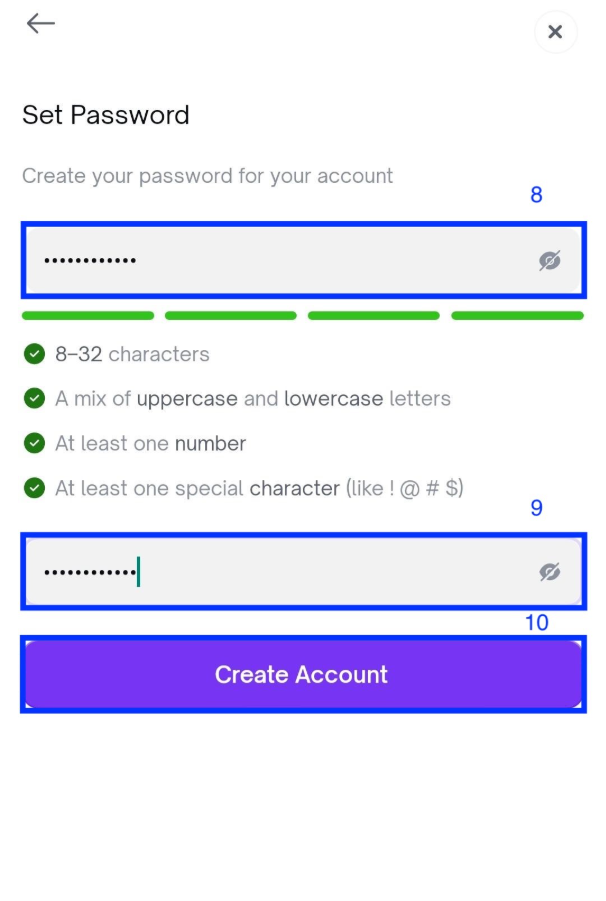
4. Create password
- Create new password for your account that meets all 4 requirements on the screen.
- Enter correct password you just have created.
- Click Create Account.
- You have created your Freedx account successfully.
Was this article helpful?
That’s Great!
Thank you for your feedback
Sorry! We couldn't be helpful
Thank you for your feedback
Feedback sent
We appreciate your effort and will try to fix the article