Before closing your account, please do the following actions:
Close all orders, opened positions in Spot Trading and Futures Trading to avoid any losses.
Withdraw all available balance from your Freedx account.
In Website
If you are using Freedx website, you can delete your account by yourself by the following steps:
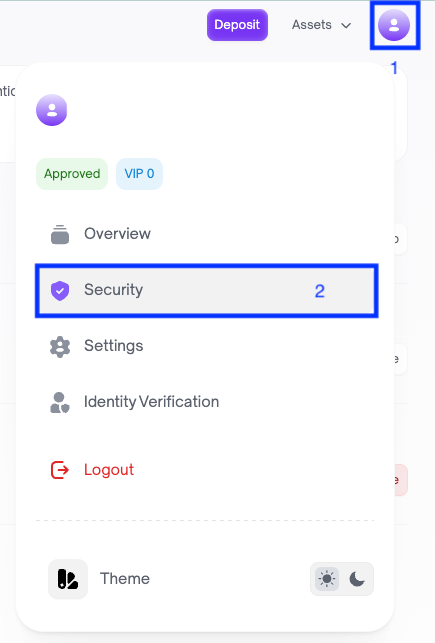
Login to your account, navigate your profile and choose Security.
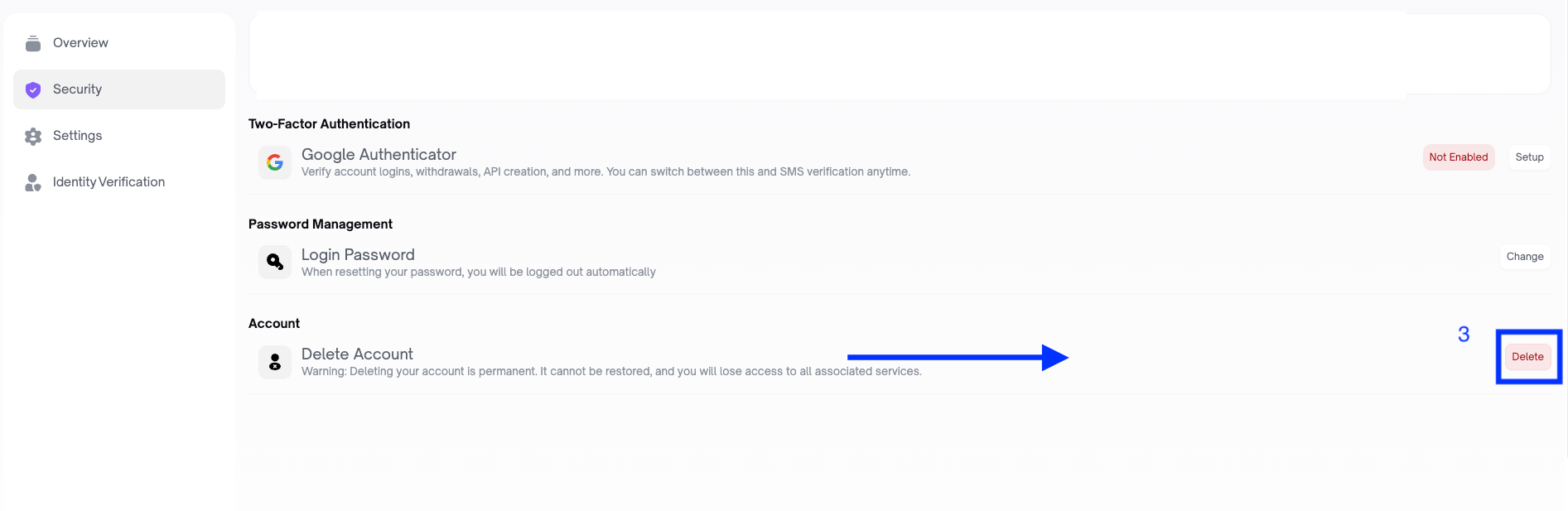
In Security page, click Delete.
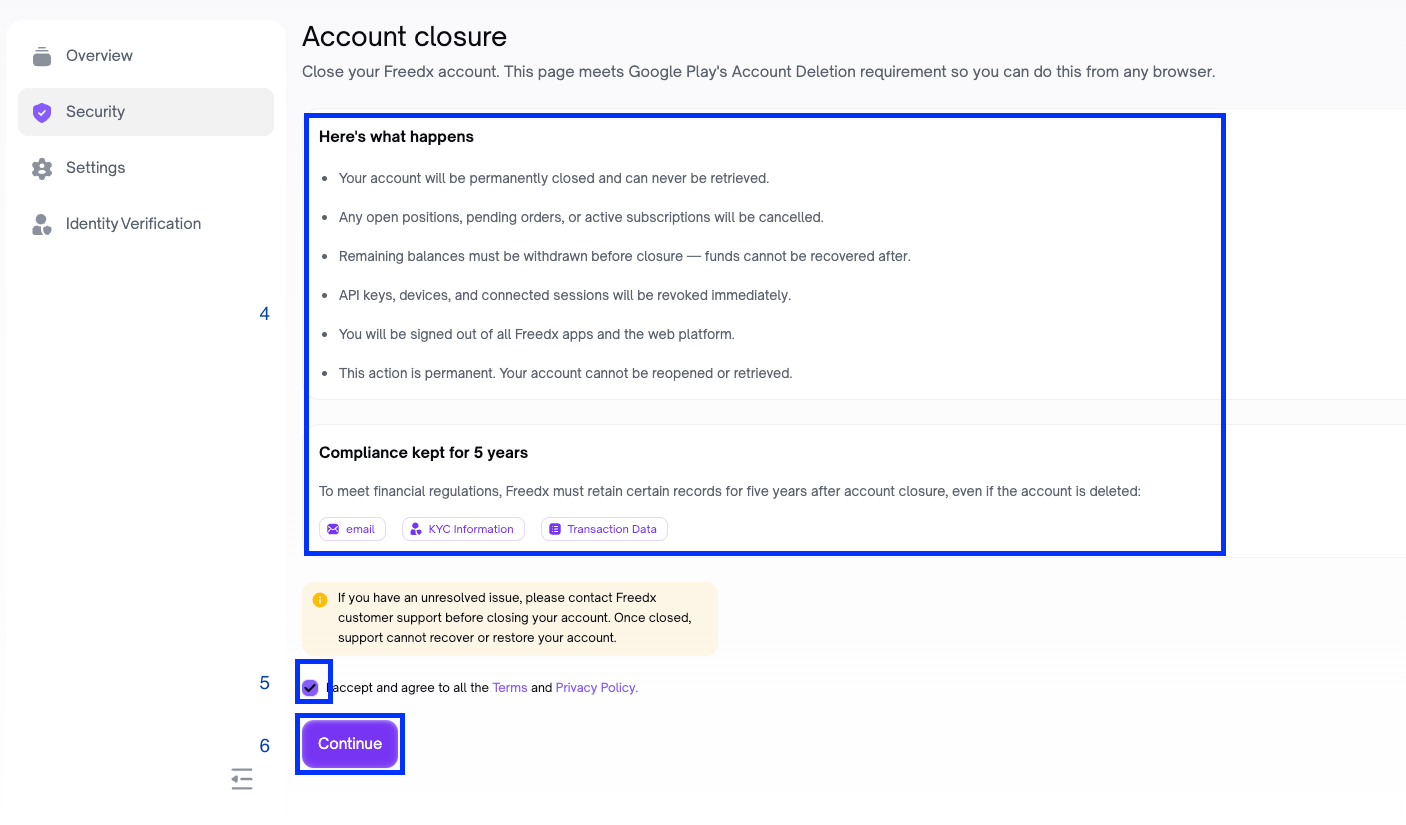
Read all the notes carefully.
Tick on the box “I accept and agree to all the Terms and Privacy Policy”.
Click Continue.
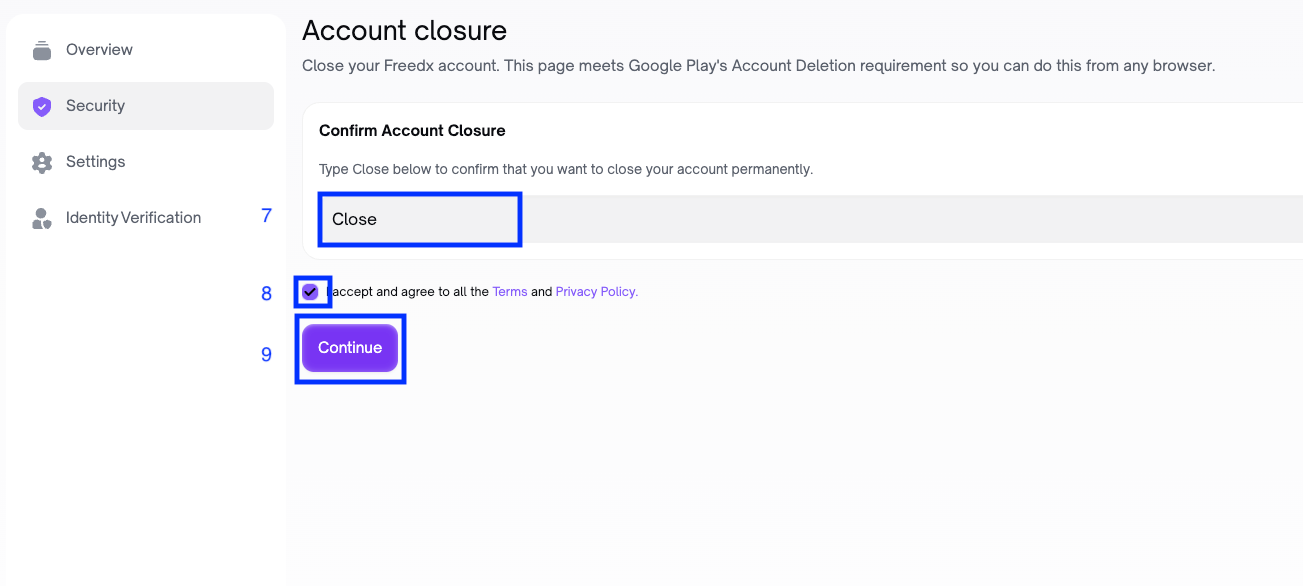
Type “Close” in the box.
Tick on the box “I accept and agree to all the Terms and Privacy Policy”.
Click Continue.
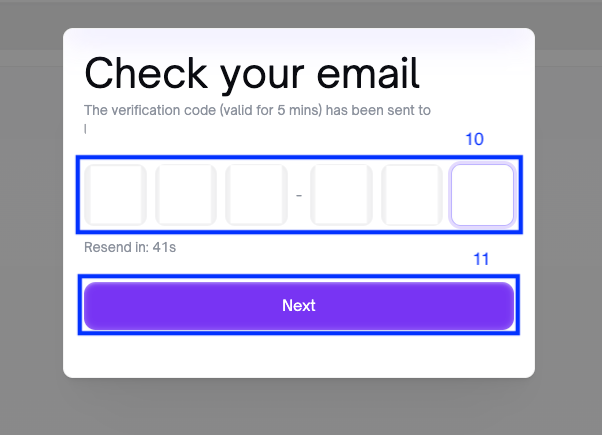
Check your registered email to get OTP, and enter to the box.
Click Next.
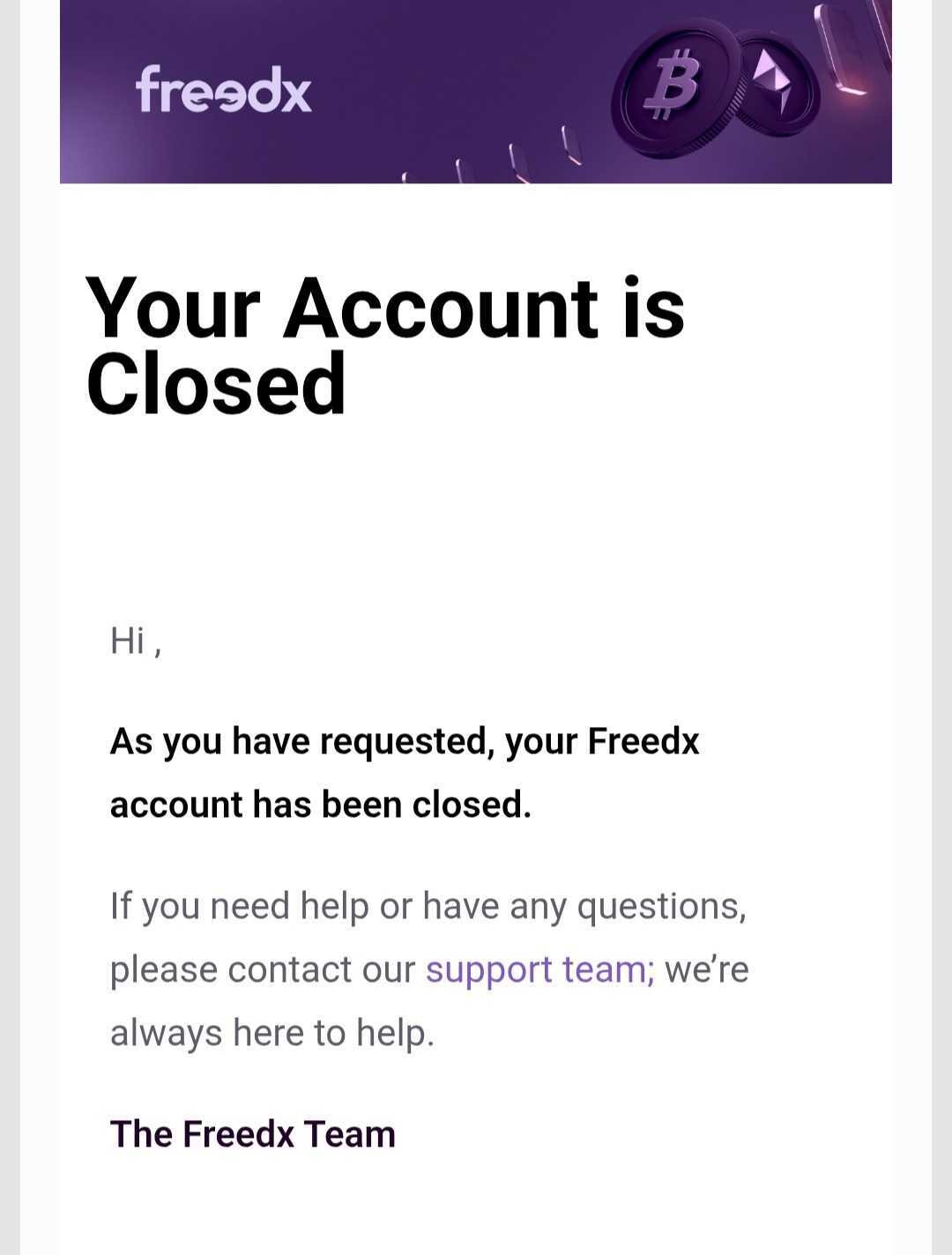
You delete your account successfully and will receive the confirmation email.
Important Note:
Your account will be permanently closed and can never be retrieved.
Any open positions, pending orders, or active subscriptions will be cancelled.
Remaining balances must be withdrawn before closure, funds cannot be recovered after.
API keys, devices, and connected sessions will be revoked immediately.
You will be signed out of all Freedx apps and the web platform.
This action is permanent. Your account cannot be reopened or retrieved.
B. In Mobile App
If you are using Freedx mobile app, you can delete your account by yourself by the following steps:
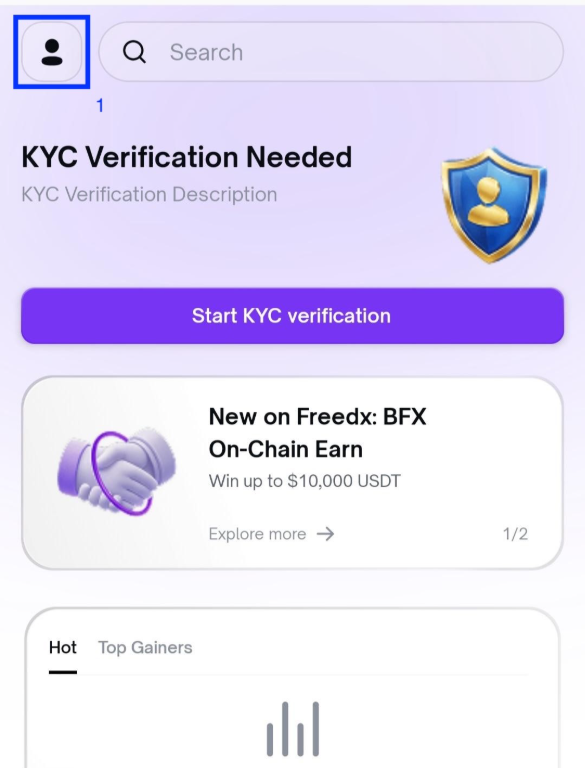
- Login to your account and navigate Account.
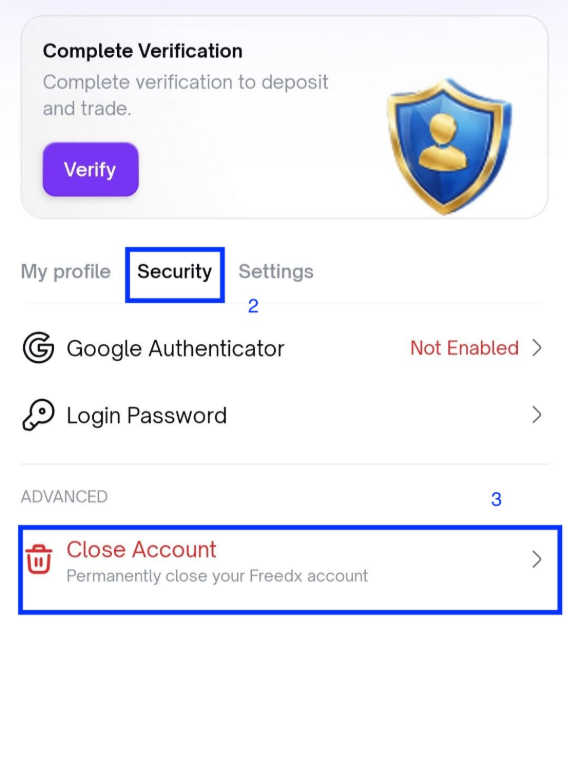
- Choose Security tab and click on Close Account.
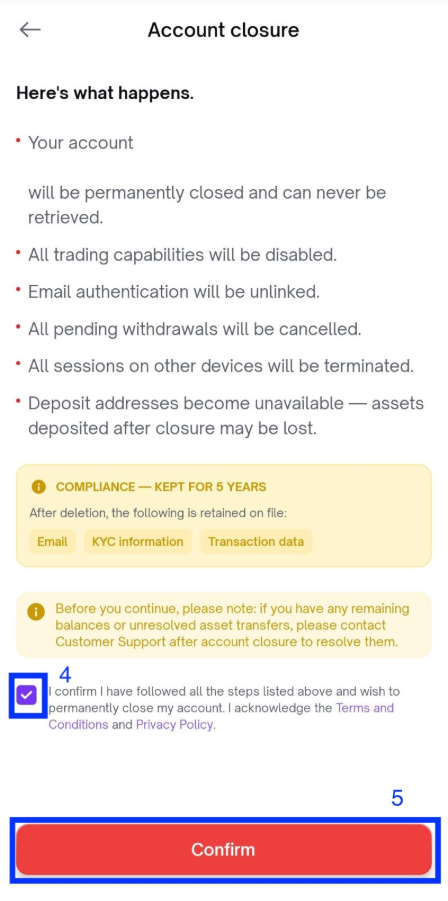
- Read all the notes carefully then tick to the box “I confirm I have followed all the steps listed above and wish to permanently close my account. I acknowledge the Terms and Conditions and Privacy Policy”.
- Click Confirm.
- Your account is deleted successfully.
Important Note:
- After you delete your account, it will be permanently closed and can never be retrieved.
- All trading capabilities will be disabled.
- Email authentication will be unlinked.
- All pending withdrawals will be cancelled.
- All sessions on other devices will be terminated.
- Deposit addresses become unavailable; assets deposited after closure may be lost.
Why Can’t I Delete My Account?
You may be unable to delete your account if there is still a balance in your Freedx account, as shown in the alert below:
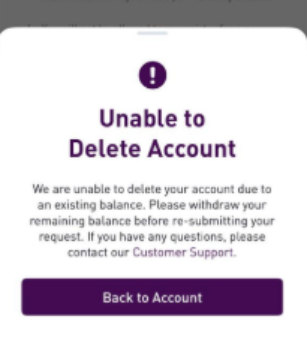
For security and account protection reasons, Freedx requires users to withdraw all remaining funds before deleting their account. Once your balance is zero, you can submit the deletion request again through the app.
Was this article helpful?
That’s Great!
Thank you for your feedback
Sorry! We couldn't be helpful
Thank you for your feedback
Feedback sent
We appreciate your effort and will try to fix the article