After verifying Identity successfully, you are recommended to verify Address with Freedx to unlock higher withdrawal limits and additional features.
This guide will walk you through the Address Verification process on the website, and the mobile app.
Preparation
Before starting the Address Verification, please ensure you have the following documents ready to ensure a smooth and efficient experience.
Utility bills
Bank statements
Government - issued documents
Tenancy agreements
Important Note:
Documents must be issued within the last 3 months (except for tenancy agreements).
Documents should contain your full name, the address, city, and country of residence in a non-restricted country.
The document must be clear, not cropped, not covered and not modified/tampered.
The formats accepted are:
JPEG
PDF
PNG
Address Verification Process on the Website
Step 1:
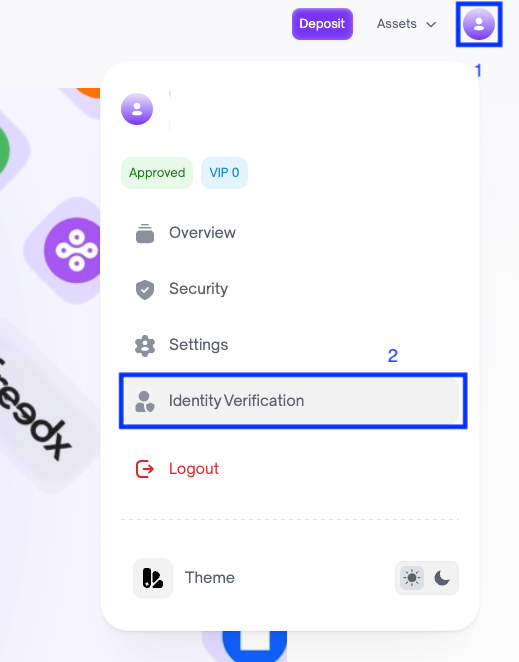
After logging in to your Freedx account, click on Profile on the top right corner of the home page, then choose Identity Verification.
Step 2:
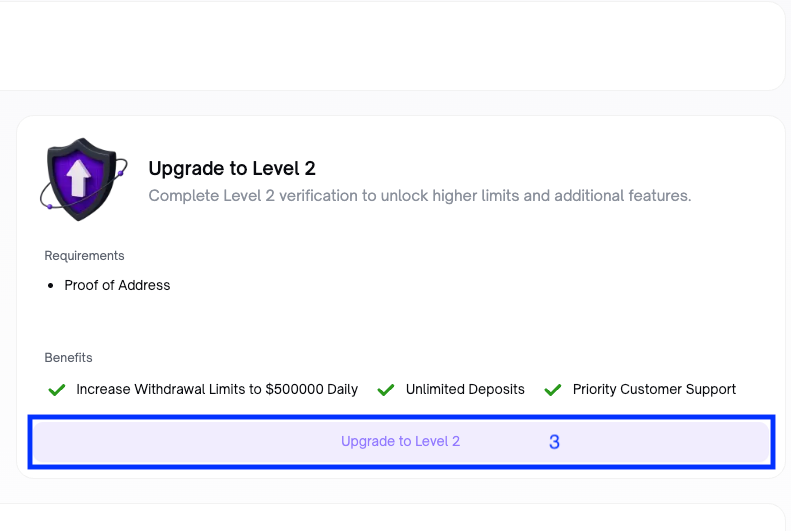
In the Identity Verification Page, click on Upgrade to Level 2.
Step 3:
Follow the instructions on the Verification screen to submit your Proof of Address.
Step 4:
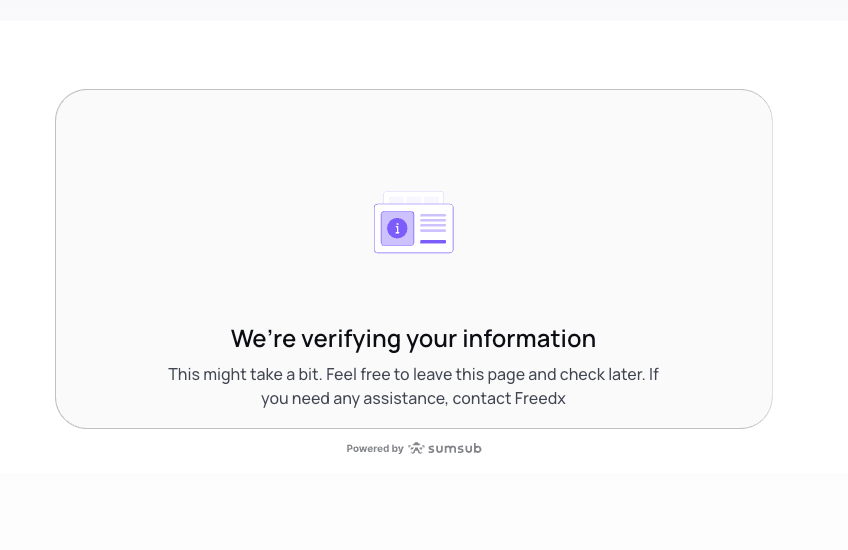
Complete process and follow up the status.
Address Verification Process on the App
Step 1:
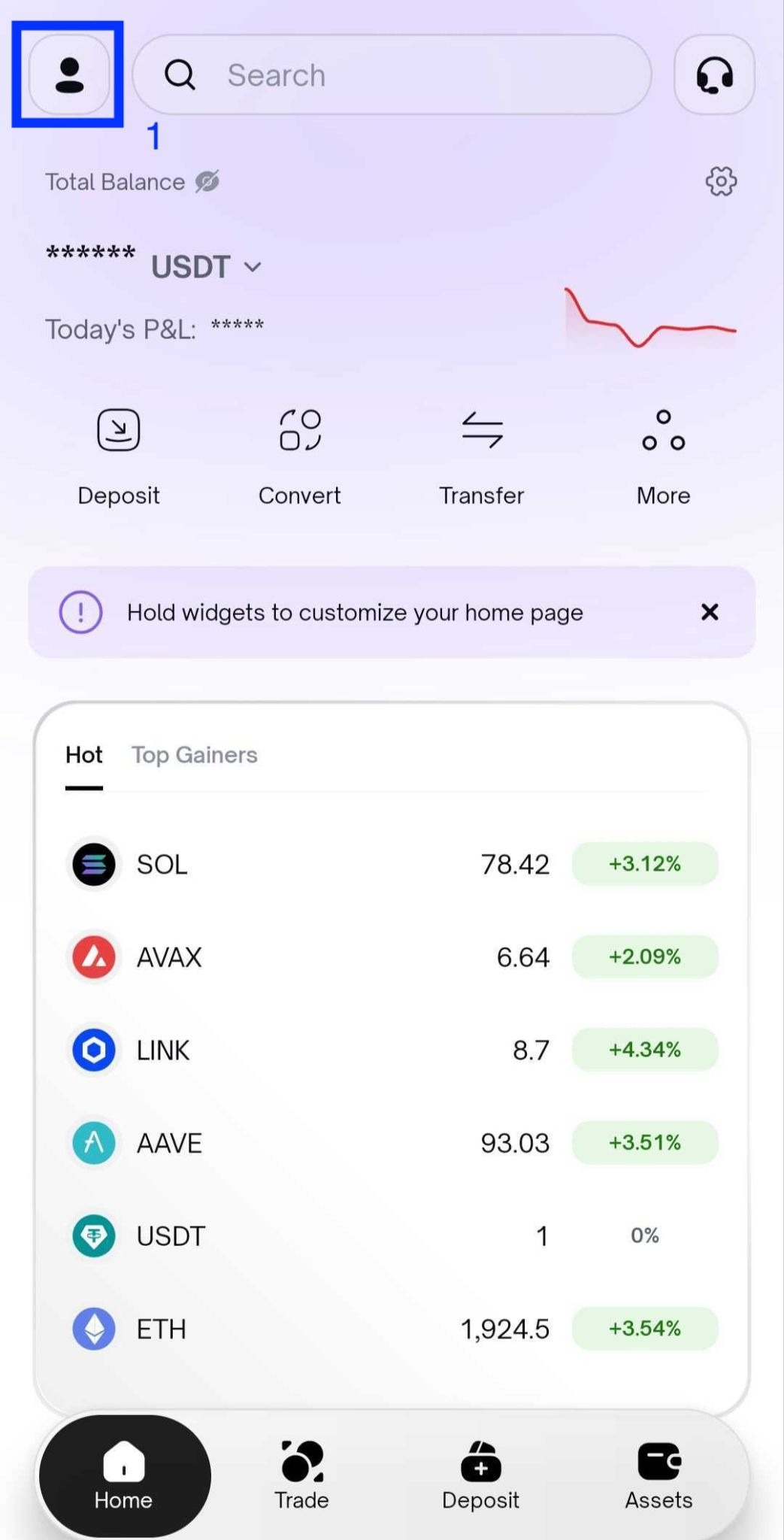
Run the app, login to your account, and click on Profile icon in the top-left corner of the screen.
Step 2:
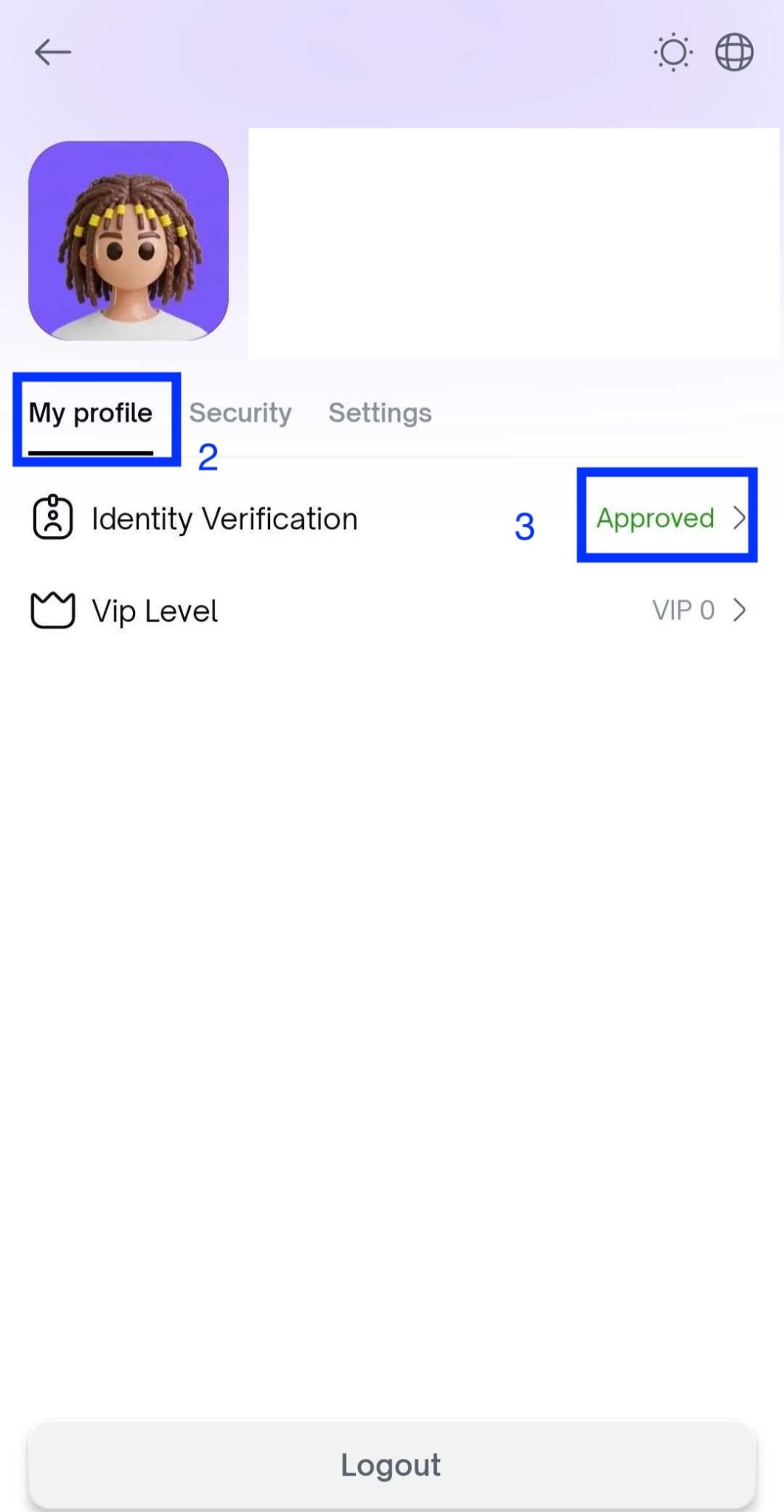
Choose My profile, and choose Identity Verification.
Step 3:
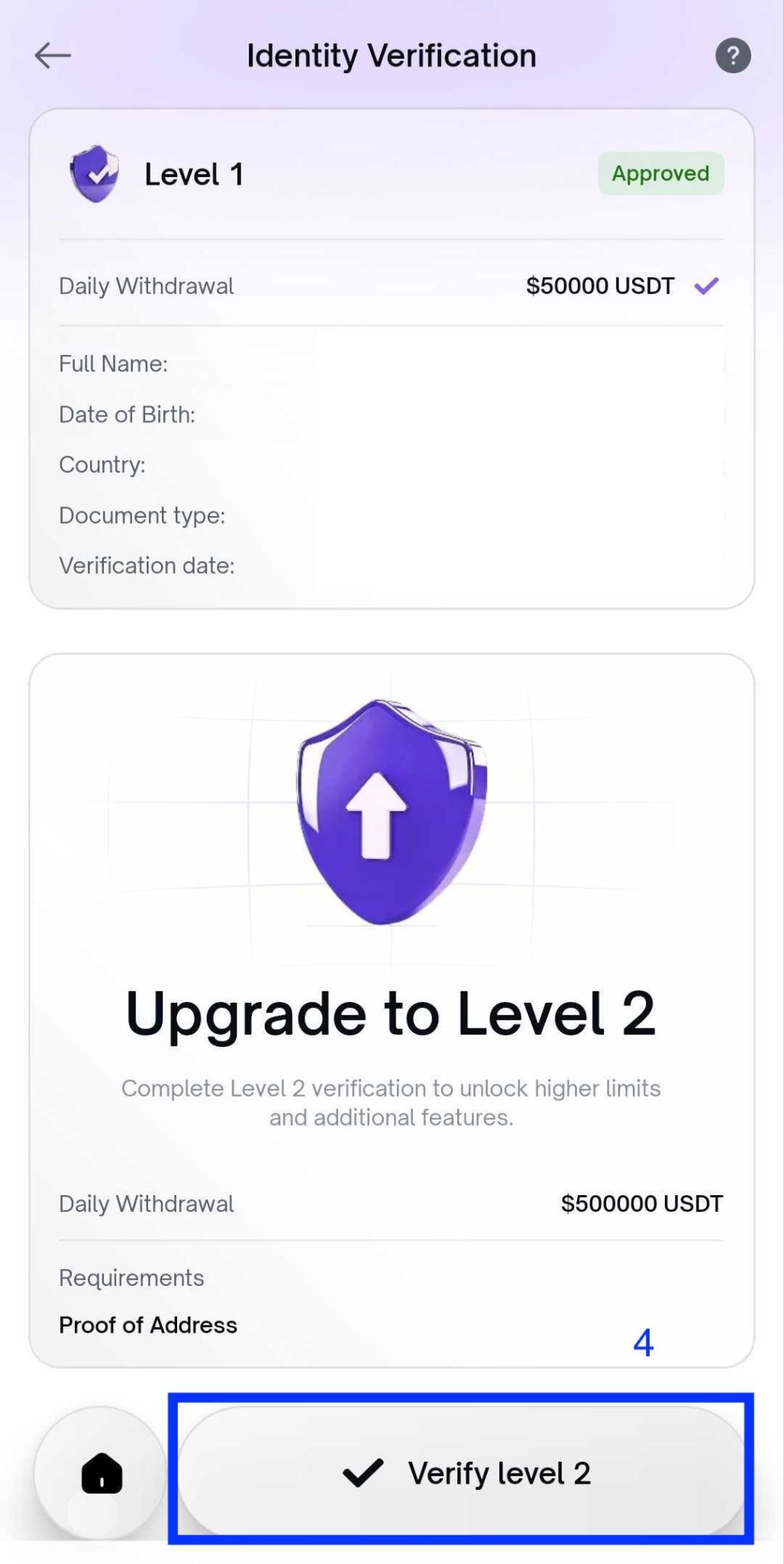
Click on Verify Level 2.
Step 4:
Follow the instructions on the Verification screen to submit your Proof of Address.
Step 5:
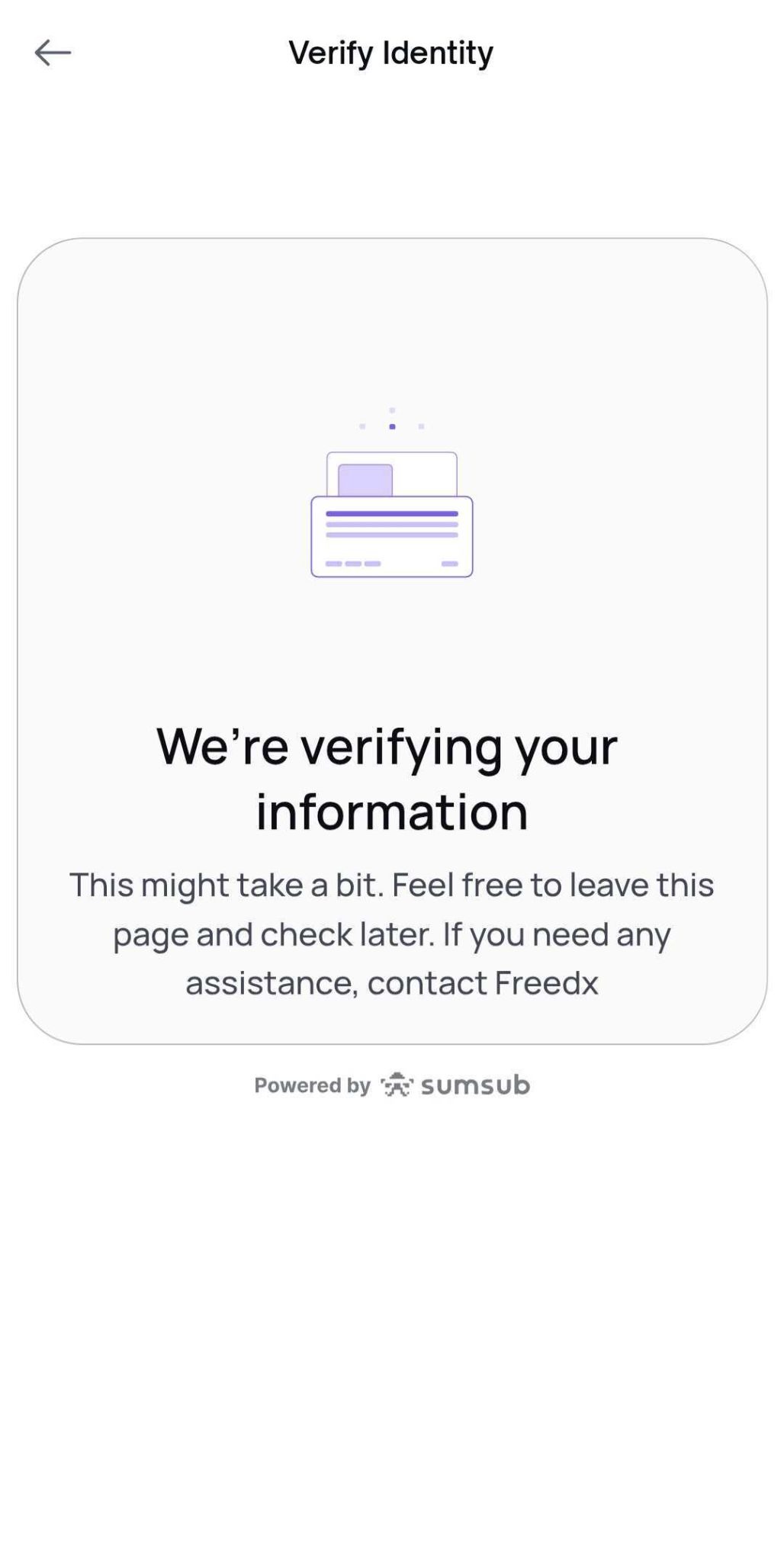
Complete process and follow up the status.
Note:
Submitted Address Verification documents are usually reviewed within 3 - 5 business days. However, it may take longer in some cases.
Our Compliance Team may require additional documents or information to complete the process. Should this occur, we will contact you via email (support@freedx.com).
Was this article helpful?
That’s Great!
Thank you for your feedback
Sorry! We couldn't be helpful
Thank you for your feedback
Feedback sent
We appreciate your effort and will try to fix the article